Dan Friedman

PROFESSIONAL COACHING 4 VOICE & SOUND

828.551.0891
Dan@Sound4VO.com
  • Home
  • Coaching4VO
  • About
  • Demos
  • Books
  • Services
  • Testimonials
  • Blog
  • Merch
  • Contact

Archives for 2012

Voiceover Friends and Family

July 25, 2012 by Dan Friedman

Too many people in the VO business get stuck in their little padded rooms and feel like they can barely make it out for air. Not Peter O’Connell. Not only does he travel the U.S. regularly, but when he comes to town, VO talent leave the comfort of their studios and flock to hang out with him.

I had the pleasure of having dinner with Peter, Diane Merritt, Lauren McCullough and Lisa Biggs last night. Let me tell you, when these great talent come into the room, the conversation flows faster than Asheville’s French Broad River on a stormy day. I would simply like to say, thank you for a great night. I can’t wait to see all of you again very soon. Perhaps the VOXY Ladies Mixer in Asheville and/or FaffCon in Charlotte?!

Diane Merritt, Dan Friedman, Lisa Biggs, Peter O’Connell and Lauren McCullough

…and speaking of meals with VO friends.

Here is a long overdue shout out to Melissa Exelberth and Liz DeNesnera who treated me to a late lunch at the world famous Carnegie Deli when I was in New York City last month. Love you girls!

Melissa Exelberth, Dan Friedman, Liz DeNesnera

For those who follow my blog and for newcomers… I know I haven’t been posting much lately. I feel sick about it. Truth be told, there has been a lot going on… some good (travel, family time and of course work), some not so good (car accidents and other things that are hopefully now largely in the past). I do hope to get back to blogging regularly again soon.

Thank you to all of my voiceover family, friends and to the VO community for your support and for your friendship!

Filed Under: Sound4VO News Tagged With: 4VO, Dan Friedman, Diane Merritt, Lauren McCullough, Lisa Biggs, Peter O'Connell, VO, voiceover

Recording Magazine’s Acoustics Series – Headphones vs. Monitors – Part 3

June 15, 2012 by Dan Friedman

Recording Magazinesends out a newsletter to its subscribers every few weeks. The newsletter is (coincidentally) titled “Sound Advice” and this month it features a new series on headphones and monitors. I asked permission to reprint this newsletter (and will ask to reprint the others in the series as well) so that those of you with home studios can also benefit from the information. I want to personally thank Brent Heintz, VP/Associate Publisher for granting permission, allowing me to share this great information with you.

Please visit Recording Magazine‘s website and their Facebook Page.

Voiceover usually deals with a singular signal (your voice) and therefore it is typically mono. However, the importance of space and spatial recognition cannot be overstated. By their very nature, how you hear headphones and monitors greatly effects how you hear yourself and your ability to interpret what you hear.

So… please enjoy this installment from Recording Magazine’s Sound Advice on Acoustics.

Welcome back to Sound Advice on Acoustics! We’ve been discussing how to use headphones as critical listening monitors, but author Robert Auld warned us way back at the start that his answer to “Can we do it?” is “Yes, but.” In this month’s installment, it’s time to look at a really big ‘but’, if you’ll excuse the expression…

***

I said that my ‘yes’ to using headphones as critical monitors was qualified. Jerry Bruck explains one small but important problem that can happen when editing stereo program material:

“I love using headphones for editing because of the precision. If there’s some vestige of something you don’t want in a splice that’s, say, coming in or going out, the headphones will nail it in a way that loudspeakers never do.

“But—and this is a big but—a real danger exists, because I have many times had the experience, as others have had, of making a splice in music, and on headphones it is totally inaudible. You sit there congratulating yourself on what a wonderful splice you have just made, and then take the headphones off and turn up the speakers, and suddenly it’s glaring. It’s there, and you can hear it, and you go, ‘How can that be? Why can I hear it on speakers and not on headphones?’

“I don’t really have an explanation, but I will venture one: that it has to do with the phase relationships between the channels. Again, it’s the interaural mixture that occurs with speakers and doesn’t occur with headphones. Once that happens the two channels have phase relationships that are a giveaway that something has happened here that could never happen in real life.”

“So I would more than caution anyone, I would actually warn anyone who attempts editing in headphones: check your work on speakers. It doesn’t happen every time; it happens like one time out of twenty… but that one time will really amaze you when it occurs, and you’ll have to go back and redo it. Otherwise everyone is going to hear it.”

A good case can be made for always using both headphones and loudspeakers to monitor our work. The two different monitoring methods each tell us different, useful things—stuff that we really need to know. (There is also the issue of the increasing use of headphones by our listeners with all those millions of portable music players out there.)

Once we decide to work this way we can reap some real advantages from it. For example, if I have really good headphones I have less need for big, expensive loudspeakers. The things I need speakers for—checking the stereo image, the direct to reflected sound balance, etc.—can be reproduced just fine by smaller, less expensive loudspeakers (provided their basic sound quality is adequate). Other things—fine balances between instruments in the mix, little details of performance, tonal colorations, etc.—are better checked on top quality headphones.

Jerry Bruck has taken this idea to its logical conclusion for some of his location monitoring. On some of his smaller scale jobs, where he doesn’t want to lug around a whole van-full of equipment, he brings along the Cambridge SoundWorks Model Twelve speaker system.

You’ve probably seen the ads for it: “stereo in a suitcase.” Two small satellite speakers and a small 3-channel amp fit into a medium sized carrying case that also has a built-in woofer. Unpack the amp and the satellites and the case becomes the subwoofer of a powered 3-piece system. According to Jerry, the sound quality of the Model Twelve is quite good—certainly accurate enough to tell him what he needs to know. Then for the fine details, on go the headphones.

[Editor’s note: at the time of this writing, the Cambridge Soundworks system was, if not unique, unusual and worthy of mention in the industry. Nowadays there are a lot of fairly portable 2.1 speaker systems with tiny satellites and a reasonably portable subwoofer that might serve as alternatives to headphones, or even stereo coaxial systems with optional or no subwoofer that can do the job. Recently reviewed speakers of this type include the Equator Audio D5, reviewed December 2011, and the Pelonis M42, reviewed April 2012.]

I’ll leave you with this thought before we consider how to evaluate different headphones:

“It is an axiom of any recording technique that the final result is only as good as the monitoring system used when making the recording. The more accurately the recording engineer can hear throughout the process, the better the final result will be.” —Streicher and Everest

See you next month as we go into the home stretch with testing criteria and suggested listening material!

Part 1

Part 2

Filed Under: Audio Production, Studio & Gear

Recording Magazine’s Acoustics Series – Headphones vs. Monitors – Part 2

May 31, 2012 by Dan Friedman

Recording Magazine sends out a newsletter to its subscribers every few weeks. The newsletter is (coincidentally) titled “Sound Advice” and this month it features a new series on headphones and monitors. I asked permission to reprint this newsletter (and will ask to reprint the others in the series as well) so that those of you with home studios can also benefit from the information. I want to personally thank Brent Heintz, VP/Associate Publisher for granting permission, allowing me to share this great information with you.

Please visit Recording Magazine‘s website and their Facebook Page.

Voiceover usually deals with a singular signal (your voice) and therefore it is typically mono. However, the importance of space and spatial recognition cannot be overstated. By their very nature, how you hear headphones and monitors greatly effects how you hear yourself and your ability to interpret what you hear.

So… please enjoy this installment from Recording Magazine’s Sound Advice on Acoustics.

Welcome back to Sound Advice on Acoustics! We’ve been discussing the question of whether headphones can serve as adequate replacements for studio monitors, and at the end of our last installment, author Robert Auld said the answer to that question is “Yes, but.” It’s time to find out what he means, starting with the “Yes” part…

***

There are many situations where headphones have the potential to offer a higher quality of sound than loudspeakers:

~ They are not dependent on room acoustics, which can vary tremendously. As a sound reference that is consistent from venue to venue, headphones are a uniquely practical solution.

~ Most practical high-quality loudspeakers use more than one driver for each channel and need a crossover network of some sort. The potential for sonic problems with this arrangement has always been a challenge for speaker designers. Headphones can bypass such problems entirely by using a single driver for each channel.

~ There is no agreement as to the ideal polar radiation pattern for a loudspeaker. A variety of approaches are found in both consumer and professional settings, and they all interact with the listening room in different ways. With headphones this is not even a consideration, let alone a problem.

~ The very characteristic that makes the most difference in the way headphones sound—the lack of interaural crosstalk—makes them revealing of details in a recording to a degree that no conventional loudspeaker setup can match. This is one reason why many classical music engineers use them: if you need to catch things like that smudged entrance in the second violins or a fluffed note by the bassoonist, headphones will tell you about it much quicker than loudspeakers will.

~This same precision in rendering detail makes headphones superior for editing stereo program material. They reveal what is really going on at the splice point much more readily than loudspeakers—most of the time. (I’ll let Jerry Bruck tell you about the exceptions in a future installment of this newsletter.)

There are many practical advantages to using headphones as well:

~ They are lightweight and portable.

~ Dynamic-element phones have no need for large, powerful, expensive amplifiers. Suitable headphone amps are already built into a lot of recording equipment, and separate headphone amps are usually small and cheap compared to speaker amplifiers.

~ Closed-back headphones provide some isolation from your surroundings, making it possible to monitor where it would otherwise be difficult or impossible.

~ Some headphones are capable of deep bass response normally found only in very large full-range loudspeakers or in subwoofers. If you record pipe organs for a living—or, which is a lot more likely in this day and age, you record dance music or other bass-heavy musical genres like hip hop—you may find this useful.

~ Did I mention that they are lightweight and portable?

Even the more expensive top quality headphones offer more “bang for the buck” than loudspeakers. For example, the Sennheiser HD 580 has a street price of about $250. This gets you dynamic element headphones that are considered to be near-equivalent to the most esoteric electrostatic models. Loudspeakers with equivalent sonic performance could easily cost five times as much, or more.

But if it was really that easy, all the time, for everyone, there wouldn’t be loudspeakers in professional studios any more, would there? Tune in next time, when I reveal a subtle, annoying, even fatal fly in the ointment that more than adequately explains why even the smallest budget studio must have speakers as well as headphones. See you then.

Part 1

Filed Under: Audio Production, Studio & Gear

Recording Magazine’s Acoustics Series – Headphones vs. Monitors

April 27, 2012 by Dan Friedman

Recording Magazine sends out a newsletter to its subscribers every few weeks. The newsletter is (coincidentally) titled “Sound Advice” and this month it features a new series on headphones and monitors. I asked permission to reprint this newsletter (and will ask to reprint the others in the series as well) so that those of you with home studios can also benefit from the information. I want to personally thank Brent Heintz, VP/Associate Publisher for granting permission, allowing me to share this great information with you.

Please visit Recording Magazine‘s website and their Facebook Page.

One quick note: I did not reprint the first installment from last month on SOUND4VO because I didn’t feel it had enough information from which the majority of the voiceover community could benefit. Voiceover usually deals with a singular signal (your voice) and therefore it is typically mono. Many of the concepts you will read about in this article are critical for music, because music is typically in stereo (or surround sound). However, the importance of space and spatial recognition cannot be overstated. By their very nature, how you hear headphones and monitors greatly effects how you hear yourself and your ability to interpret what you hear. This article begins to deal with those issues.

So… please enjoy this installment from Recording Magazine’s Sound Advice on Acoustics.

Welcome back to Sound Advice on Acoustics! Last month author Robert Auld presented us with some intriguing problems that seem to have a common solution, if a radical one: What would happen if we elected to do all of our tracking and mixing and mastering with headphones rather than speakers? The answer to that question is a complicated one, and we’re going to spend the next few months taking it apart. Read on!

***

First the bad news: headphones really sound different from loudspeakers. Let us count the ways.

“The principal problem with headphone listening is you have no mixture of left and right channels; they’re piped directly into the respective ears. Because of that it is very hard to judge the width of your stereo stage, the amount of center that you’re getting, as opposed to left and right. You tend to misjudge that on headphones.”

The fancy name for what Jerry is describing is interaural crosstalk. Loudspeakers have lots of it (if your right ear can’t hear the left loudspeaker, something is wrong), but headphones have none. Mr. Bruck continues:

“A sometimes very serious misjudgement on headphones is to think that it’s wetter than it really is. You find on loudspeakers that you are much closer in perspective than you thought you would be listening on phones.”

The reasons for this are a bit complex, but they probably have a lot to do with aural masking—that is, with the tendency of one sound to mask another. In this case we are dealing with direct sound (a lead vocal, for instance) and reflected sound (as in the reverberation stimulated by that vocal). To quote another authority:

“Angular separation between direct and reflected sounds has a minor effect on the audibility of the reflections, except when the two are coincident, when the reflection tends to be masked by the direct signal.” —Ron Streicher and F. Alton Everest, The New Stereo SoundBook, 2nd edition.

In other words, if the reverb is coming from the same direction as the vocal or very close to it, it will tend to be masked by the direct sound. Here is how I think this applies to the headphones vs. speakers question.

With typical stereo loudspeaker monitoring the angle between speakers is about 60 degrees, or 30 degrees to each side of our listening position. This is a small portion of the 360 degrees over which we hear. It is safe to say most of the sound approaches from in front of us.

With headphones the earcups encompass an angle of 180 degrees relative to our ears, equivalent to speakers placed 90 degrees to each side. This is a big change, and it allows for greater angular separation between at least some of the direct and reflected sounds in a recording. A portion of the reverberation will literally be unmasked, and so the recording will sound subjectively wetter.

Experimental data on angular separation and masking imply that this difference is equivalent to increasing the reflected sound level by 5–10 dB. This would certainly be an audible difference, and it bears out Jerry Bruck’s observation (and my own experience). But there is one circumstance where “it sounds wetter on headphones” does not apply. This is when you are making a binaural or quasi-binaural recording.

In its purest form, binaural recording uses small-diaphragm microphones placed in the ears of an anatomically correct dummy or, less conveniently, in the ears of a real person. Then there are quasi- binaural microphone arrays like the Crown SASS that mimic the ear spacing and acoustic shadowing effects of the human head.

In either case, recordings made with these systems and reproduced with headphones preserve the spatial cues of the recording environment with considerable accuracy. This allows our brain to sort out the direct and reflected sound as it does in real life, with a gain in realism and clarity that can be really startling.

When you play the same binaural recording over loudspeakers the spatial cues are altered. What had been all around you is now placed in front of you, as if viewed through an open window, and—masking effects or not—it tends to sound more distant.

This is, of course, a special case, as most recordings use conventional microphone arrays that do not preserve spatial cues accurately, regardless of the playback method. So lacking a realistic acoustic model to work with, our brain resorts to other methods of analysis, and things like masking effects assume greater importance.

So far we’ve learned that headphones create a weird stereo image and do strange things to reverberation. What else have we got to look forward to from our potential critical monitors? Let’s have Jerry Bruck talk about low frequencies:

“Low frequencies are only partially a question of what you are hearing with your ears. A lot of it is, in fact, called “skin effect,” borrowing a term from another discipline. No matter what the frequency response of the headphones turns out to be, no headphone ever gives you the sense of low frequencies that you get from speakers.” This is why Hollywood doesn’t use headphones when it wants to make you feel an earthquake or an explosion.

If headphones differ from loudspeakers in such significant ways, can we still use them as critical monitors? The answer, I think, is “Yes, but…” Starting next time, we’ll look at the advantages that might make us say “Yes”, and then follow up with the “buts”. See you then!

Filed Under: Audio Production, Studio & Gear

Sound4VO gets a mention on VO Buzz Weekly!

April 15, 2012 by Dan Friedman

images

VO Buzz Weekly is the hottest show on the web about the VO industry.

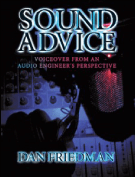
In this weeks episode they mention SOUND ADVICE – Voiceover From an Audio Engineer’s Perspective and Sound4VO.com!!


Thank you to Chuck Duran, Stacey J, special guest Tara Strong and everyone at VO Buzz Weekly!

Filed Under: Sound4VO News Tagged With: 4VO, Chuck Duran, Dan Friedman, Stacey Aswad, Tara Strong, VO, VO Buzz Weekly, voiceover

Some Like it Hot… Tube Microphones

April 12, 2012 by Dan Friedman

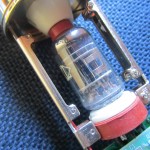
Questions about tube microphones come up often. So many people in the voiceover and recording industries are in search of a certain, often elusive sound, that most people describe as “warm”. For some, tube microphones are the answer. “Tubes” refer to vacuum tubes. Vacuum tubes are similar to light bulbs, but designed to regulate, or control the flow of an electrical signal .


Unlike in solid-state audio equipment where signal is confined and carefully controlled, or digital equipment where everything is converted to 1‘s and 0‘s and is very precise; when used in the construction of audio equipment, tubes tend to blend the frequencies of an audio signal. This blending is known as harmonic distortion. This sound can be very pleasing, as it gives the impression of a smooth and flowing sound that isn’t harsh or edgy (unless specifically dialed in to sound that way).

Generally speaking, tube microphones are not the first choice for voiceover. They can be a bit noisier than solid-state microphones and also require a bit more care and special handling. However, because questions about tube microphones come up often, I asked Michael Joly, Pete Turbiville and Matt McGlynn, three experts in the field of microphones about tube mics. These experts provided insight into the care and handling of these mics, and specifically about what is known as a “burn-in” period. Be sure to check out these industry expert’s websites to learn more about them and how they may be able to you get the sound you are looking for.

Michael Joly is a microphone design engineer with over 35 years of experience working with analog studio equipment. He is well-known for taking lower priced off-the-shelf microphones and modifying them to sound like models that are far more expensive. Here is what he had to say.

Yes, tube mics do need some burn-in and warm up. When a mic is shipped the tube gets shaken up and this causes a degree of spitting and sputtering for the first couple of days until the tube heater burns off the impurities in the electron flow and that stream of charged particles gets purged of impurities. After the initial burn-in period of several days a tube mic that has been stationary and not shaken, will warm up and behave well after an hour.

oh, the initial burn-in also helps form the capacitors and they do their job better and with less noise and artifacts after being treated to a burn in.

btw – in the old days of tubes, professional installation always left the gear on. This prevents in rush current from damaging the heaters (remember – a light bulb burns out at turn on, not while its illuminated because the cold resistance of the filament is much lower than the hot resistance thus allow much more turn on current to flow through it). And the other benefit is a lower and more stable noise floor.
– Michael Joly

Pete Turbiville (peteturbiville.com) is one of my best friends in the voiceover business. He is a great voice talent, audio engineer (with gold records on his wall) and microphone builder. I’m proud to say that he built my U47 clone that is pictured in my author’s photo. Pete says:

Absolutely about letting the mic cook for a while. I’d let it go for at least 2~3 hours before expecting it to perform to specs..When you first light them up the filament heats up and expands. As the filament sits at it’s operating temperature the heat it generates expands the rest of the components inside the tube. Most all specs for tubes are taken at their designed operating temperature and after a few hours. So, it’s always a good idea to let the tube cook allowing the other components to expand and settle in before using it. Actually, it’s best to just leave it on unless you simply have no other choice.

Just like any device, heating it up and cooling it down once a day or more is wear and tear on the tube and is detrimental to it’s life and specs.
– Pete Turbiville

Matt McGlynn operates one my favorite sites on the web, recordinghacks.com.
It is the premier site for all things involving microphones. Looking for information on a certain make or model (no matter how rare)? You’ll find it on recordinghacks.com using their comprehensive microphone database.

Tube microphones should be given time to warm up prior to use. The microphone will not be damaged if it is used immediately, and indeed most tube microphones will pass an audio signal as soon as they’re powered up. But the tonality of the microphone will change as the tube warms up to its standard operating temperature.

I know of no scientific studies of how long the optimal warmup period is, and I imagine it would depend on the difference in the mic’s “cold” temperature and the tube’s operating temperature — the bigger the gap, the longer the stabilization period. In my experience, 15 minutes is enough; I don’t hear significant tonal changes after that point. But if you’re storing your tube mic in a 50 degree basement, then maybe you should give it more warmup time before the session.

As in all things, you’ll run into a spectrum of practices and advice. I know studios that never turn their tube mics off. And I know engineers (with many album credits) who never let their tube mics warm up.

On a related note, if the mic is to be left warm for any period of time, it should be inverted so that the tube is above the capsule. This prevents the heat of the tube from drying out the diaphragms.
– Matt McGlynn

Some like it hot! Tube microphones clearly do.

Filed Under: Studio & Gear

  • « Go to Previous Page
  • Page 1
  • Page 2
  • Page 3
  • Page 4
  • Page 5
  • Go to Next Page »

Primary Sidebar

Search Blog

Categories

Want to see how well we work together first? LET’S DO IT!!

Book a Single Session
Book a FREE Meet & Greet

Follow Sound4VO

Dan Friedman Voice Over Coach & Demo Producer Tiktok

Tip Jar

Have questions on anything related to voiceover? Dan is available for email consultations at no charge. Ask away! If he's able to help you with your problem, tips are greatly appreciated... Use the "tip jar" below to show Dan the love!

Dan Friedman Voice Over Coach & Demo Producer Tiktok

Dan@Sound4VO.com

828.551.0891

Dan Friedman Voice Over Coach & Demo Producer Zen and the art of Voiceover Audiobook Cover Img
Buy Now
Dan Friedman Voice Over Coach & Demo Producer Sound Advice Cover Img
Buy Now

VQ CERTIFIED MASTER COACH Since 2021

Dan Friedman Voice Over Coach & Demo Producer VQ Logo

©2026 Dan Friedman Sound4VO // Voice Over Site by Voice Actor Websites

MENU
  • Home
  • Coaching4VO
  • About
  • Demos
  • Books
  • Services
  • Testimonials
  • Blog
  • Merch
  • Contact